Table of Contents
Parenting App for Sleep Problems: Pediatric Science Blueprint
Across every stage of childhood, sleep challenges represent one of the most significant stressors facing modern families. From exhausting infant nap battles and frequent night awakenings to toddler bedtime resistance, early morning wake-ups, and nighttime fears, chronic sleep disruption impacts the entire household.
When a child suffers from poor sleep hygiene, the consequences ripple across their development: emotional dysregulation, increased tantrum frequency, weakened immune function, impaired memory consolidation, and reduced executive functioning. Meanwhile, parents face chronic exhaustion, elevated anxiety, parental burnout, and marital tension.
Traditional sleep training advice often feels rigid or conflicting. Parents are often torn between strict “cry-it-out” methods and co-sleeping arrangements that may not fit their family’s long-term goals.
Fortunately, pediatric sleep science has evolved. A parenting app for sleep problems brings together circadian biology, homeostatic sleep pressure tracking, behavioral psychology, and pediatric sleep hygiene into a user-friendly digital platform.
Acting as a digital sleep expert, a pediatric sleep app helps parents track optimal wake windows, automate visual bedtime routines, manage nap transitions, and align their child’s internal biological clock for long-term sleep success.
This guide explores the neurobiology of pediatric sleep architecture, the dual-process model of sleep regulation, essential app features, developmental stage adaptations, step-by-step implementation frameworks, and answers to the most common questions about sleep management tools.
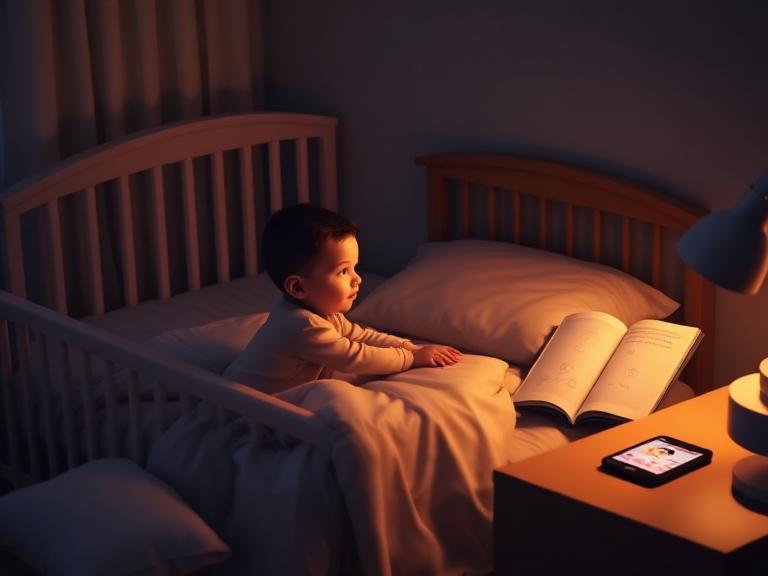
1. The Neurobiology of Pediatric Sleep Architecture
To understand how a parenting app for sleep problems resolves bedtime battles and night waking, we must examine the biological drivers of human sleep.
                         THE DUAL-PROCESS MODEL OF CHILD SLEEP

    PROCESS S (HOMEOSTATIC SLEEP PRESSURE)         PROCESS C (CIRCADIAN RHYTHM)
 ┌─────────────────────────────────────────┐    ┌─────────────────────────────────────────┐
 │ - Driven by Adenosine accumulation      │    │ - Controlled by Suprachiasmatic Nucleus │
 │ - Builds steadily during awake hours    │ ──►│ - Driven by light/dark environmental cues│
 │ - Requires precise age-matched windows  │    │ - Regulates core body temp & Melatonin  │
 └─────────────────────────────────────────┘    └─────────────────────────────────────────┘
                                     │
                                     ▼
                      OPTIMAL SLEEP WINDOW OVERLAP
 ┌────────────────────────────────────────────────────────────────────────────────┐
 │ - Rapid sleep onset (under 15 minutes)                                         │
 │ - Minimal bedtime resistance & Cortisol surge                                  │
 │ - Sustained, deep NREM Slow-Wave Sleep cycles                                  │
 └────────────────────────────────────────────────────────────────────────────────┘
Process S: Adenosine Build-Up & Wake Windows
From the moment a child wakes up, a neurochemical called adenosine accumulates in the brain, creating homeostatic sleep pressure. A child’s age determines how much adenosine their nervous system can tolerate before experiencing neurological stress.
The maximum comfortable time a child can stay awake between sleep periods is called a wake window. If a wake window is exceeded, the brain perceives a threat and triggers an emergency adrenal response:
$$\text{Exceeded Wake Window} \longrightarrow \text{Adrenal Cortisol \& Adrenaline Surge} \longrightarrow \text{Overtiredness \& Bedtime Resistance}$$
This physiological stress state causes bedtime stalling, crying, difficulty falling asleep, and frequent night awakenings. A parenting app for sleep problems tracks these wake windows dynamically, alerting parents to start wind-down routines before the cortisol surge occurs.
Process C: The Circadian Clock & Melatonin
Process C is the internal 24-hour master clock located in the brain’s suprachiasmatic nucleus (SCN). It regulates core body temperature, hormone production, and digestive cycles based on environmental cues (zeitgebers).
Bright morning light halts melatonin production and raises core body temperature. In the evening, dim lighting triggers pineal melatonin secretion, preparing the body for sleep.
When a child’s bedtime routine is erratic or includes evening screen light, Process C becomes misaligned. The app helps parents maintain consistent wind-down anchors that keep circadian rhythms in sync.
2. Core Features of a High-Impact Pediatric Sleep App
Not all digital sleep tools deliver equal pediatric value. Generic adult sleep trackers or simple alarm clocks lack the specialized algorithms needed for growing nervous systems.
A purpose-built parenting app for sleep problems combines real-time tracking, behavioral tools, and environmental soundscapes:
                          6 ESSENTIAL PEDIATRIC SLEEP APP PILLARS

    ┌───────────────────┬───────────────────┬───────────────────┬───────────────────┬───────────────────┬───────────────────┐
    │ 1. PREDICTIVE     │ 2. VISUAL BEDTIME │ 3. OK-TO-WAKE     │ 4. CALIBRATED     │ 5. DARK-MODE UI   │ 6. MULTI-USER     │
    │    WAKE WINDOWS  │    ROUTINE CHARTS │    SLEEP CLOCK    │    SOUND MACHINE  │    & RED LIGHT    │    CLOUD SYNC     │
    │ (Nap algorithms)  │ (Visual schedules)│ (Color-changing)  │ (Pink/Brown noise)│ (Zero blue light) │ (Co-parent log)   │
    └───────────────────┴───────────────────┴───────────────────┴───────────────────┴───────────────────┘
| Feature Pillar | How It Works in the App | Neurodevelopmental Benefit |
| Predictive Wake Window Tracker | Machine-learning algorithms adjust nap and bedtime suggestions based on real-time sleep data. | Prevents overtiredness by prompting sleep prep before cortisol spikes. |
| Visual Bedtime Routine Boards | Interactive visual step cards (e.g., Bath, Pajamas, Book, Bed). | Externalizes authority, eliminating parent-child power struggles at bedtime. |
| Color-Changing Sleep Trainer Clock | Visual clock display (e.g., Red = Stay in Bed, Green = Time to Rise). | Establishes clear visual boundaries for toddlers who cannot yet read digital clocks. |
| Calibrated Pink & Brown Noise | Continuous low-frequency soundscapes that mask household background noise. | Sustains deeper NREM sleep transitions and prevents noise-induced awakenings. |
| Dark-Mode & Red-Light Lighting | Screen interface optimized for night use without blue spectrum emissions. | Protects melatonin synthesis during middle-of-the-night tracking sessions. |
| Multi-Caregiver Synchronization | Real-time cloud syncing across smartphones used by parents, grandparents, and caregivers. | Ensures identical nap timing, wind-down steps, and boundaries across households. |
3. Resolving Specific Sleep Struggles Across Developmental Stages
Child sleep challenges shift dramatically as the nervous system matures. A parenting app for sleep problems offers specialized modules for each developmental stage:
                      DEVELOPMENTAL SLEEP CHALLENGE PATHWAYS
  ───────────────────────────────────────────────────────────────────────────────────
  INFANTS (0 to 12 Months)     ──► Wake Window Tracking, Nap Transitions, Sleep Regressions
  TODDLERS (1 to 3 Years)      ──► Bedtime Stalling, "Curtain Calls", Early Morning Waking
  PRESCHOOLERS (Ages 3 to 5)   ──► Nighttime Fears, Bed Transitions, Phasing Out Naps
  SCHOOL-AGE (Ages 6 to 12)    ──► Evening Screen Cutoffs, Sleep Anxiety, Consistent Schedules
Infants (0 to 12 Months): Eliminating Overtiredness & Managing Regressions
- Primary Struggle: Unpredictable naps, short 30-minute catnaps, 4-month and 8-month sleep regressions, and night waking.
- App Solution: Automated wake window prediction models. The app alerts parents 15 minutes before the optimal nap window closes, guiding the baby into sleep before cortisol elevates.
Toddlers (1 to 3 Years): Ending Bedtime Stalls & Early Morning Waking
- Primary Struggle: Refusing to get into bed, asking for endless glasses of water (“curtain calls”), and waking up at 05:00 AM.
- App Solution: Visual “First/Then” routine charts paired with an integrated color-changing “OK-to-Wake” clock. The app turns bedtime into a structured game where the child takes ownership of completing their wind-down steps.
Preschoolers & School-Age (Ages 4 to 12): Managing Nighttime Anxiety & Screens
- Primary Struggle: Fear of the dark, bedtime worries, and blue light exposure from tablets or TVs.
- App Solution: Audio-guided sleep stories, progressive muscle relaxation soundscapes, and automated digital cutoffs 60 minutes before bed.
4. Step-by-Step Implementation Framework
To resolve family sleep issues using a pediatric sleep app, follow this structured 4-step framework:
1.1. Configure the Profile & Track 3 Days of Baseline Sleep:Establish a clean data baseline.
Download the selected sleep app, set up your child’s age profile, and log all sleep periods, wake times, and night wakings for 72 hours. This provides the algorithm with baseline data to calculate accurate wake window targets.
2.2. Set Up the Bedroom Environment & Soundscape:Optimize environmental sleep conditions.
Use the app’s sleep environment checklist: install 100% blackout shades, adjust room temperature to 18-20°C, and position a white or pink noise machine at least 2 meters from the bed, keeping it on continuously through the night.
3.3. Launch the Visual Bedtime Routine Board:Build a predictable 30-minute wind-down.
Build a 4-step visual routine inside the app (e.g., 1. Bath, 2. Pajamas/Teeth, 3. Story, 4. Lights Out). Follow the exact order every night, allowing your child to tap or check off completed steps on screen.
4.4. Execute Silent Returns & Use the Visual Sleep Clock:Maintain consistent response guidelines.
If your toddler leaves their bed after lights-out, use the app’s visual clock (“Red = Stay in Bed”). Return them silently to bed with zero emotion or conversation. Maintain this routine consistently for 14 consecutive nights.
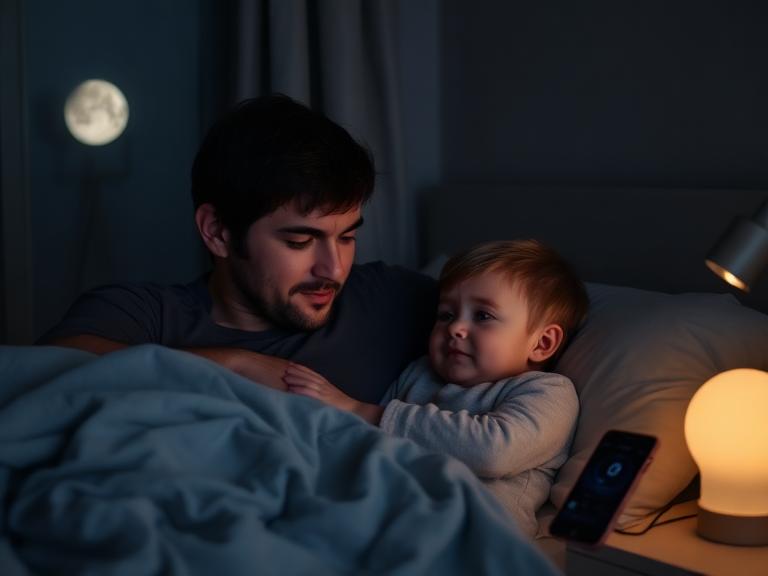
5. Supporting Neurodivergent Children (ADHD, Autism, Sensory Differences)
Children with ADHD, Autism Spectrum Condition (ASC), or sensory processing differences experience significantly higher rates of sleep problems. Neurodivergent youth often produce lower levels of nighttime melatonin, struggle with delayed sleep phase tendencies, and experience heightened sensory sensitivity to bedroom lights and sounds.
    NEURODIVERGENT SLEEP CHALLENGE             APP-BASED PEDIATRIC SOLUTION
  ─────────────────────────────────────────────────────────────────────────────────────────────
  Delayed Melatonin Secretion            ──►  Strict digital screen cutoffs & amber light themes
  Executive Function Drag at Bedtime     ──►  Tactile, step-by-step visual schedule cards
  Sensory Sensitivity to House Noise     ──►  Calibrated continuous brown/pink noise soundscapes
  Time Blindness & Resistance            ──►  Color-changing visual "OK-to-Wake" sleep clocks
Key OT and Sleep Specialist Adaptations:
- Visual Routine Cards over Verbal Instructions: Children with executive dysfunction process visual routines far better than multi-step verbal orders at night.
- Low-Frequency Brown Noise: Brown noise features deeper low-frequency tones than standard white noise, helping soothe hyper-sensitive auditory systems without overstimulation.
- Non-Shaming Sleep Analytics: Sleep data should be used to inform schedules rather than evaluate compliance, ensuring bedtime remains a positive, stress-free experience.
6. A 4-Week Family Sleep Transformation Plan
Achieving long-term, restorative sleep requires consistency and patience. Use this 4-week step-by-step roadmap to transform your family’s sleep hygiene:
Week 1: Environmental Setup & Wake Window Baseline
 └─ Install blackout shades, set up pink noise, log 7 days of sleep data, and align wake windows.

Week 2: Launch the 4-Step Visual Bedtime Routine
 └─ Implement a consistent 30-minute wind-down sequence. Turn off all screens 60 minutes before bed.

Week 3: Integrate the Visual "OK-to-Wake" Clock
 └─ Teach visual morning boundaries (Red = Stay in Bed; Green = Time to Rise) and execute silent returns.

Week 4: Review Sleep Trends & Lock In Consistency
 └─ Analyze 30-day sleep graphs. Celebrate smoother bedtimes and enjoy consolidated, restorative nights.
7. Frequently Asked Questions (FAQs)
Q1: What is a parenting app for sleep problems?
A parenting app for sleep problems is a specialized digital platform designed to optimize child sleep architecture. It combines algorithmic wake window calculations, circadian rhythm tracking, visual bedtime routine schedules, sleep soundscapes, and parent-facing behavioral coaching to resolve bedtime resistance, night waking, and early morning wake-ups.
Q2: How does a sleep app accurately predict a baby’s optimal nap window?
The app tracks individual age-matched awake durations alongside real-time data logged by parents (such as wake-up time, nap length, and fussiness levels). Using machine learning, it calculates homeostatic sleep pressure (adenosine build-up) to output precise nap predictions before overtiredness occurs.
Q3: Can an app help resolve toddler bedtime stalling and “curtain calls”?
Yes. Sleep apps externalize expectations by replacing parental verbal nagging with visual bedtime routine charts, color-changing visual sleep clocks, and visual timers. This reduces power struggles, sets firm boundaries, and guides toddlers through wind-down steps independently.
Q4: At what age can parents start using a parenting app for sleep problems?
Parents can start using sleep tracking and wake window apps from birth (0 to 3 months) to establish basic biological rhythms. Interactive visual routines, audio sleep stories, and color-changing sleep trainer clocks become effective for toddlers and school-age children (ages 1.5 to 10).
Q5: How do pediatric sleep apps support neurodivergent children (ADHD, Autism)?
Sleep apps assist neurodivergent youth by offering structured visual schedules, low-stimulation audio (pink/brown noise), customizable sensory wind-down alerts, and non-shaming tracking tailored to delayed melatonin onset and executive dysfunction.
Q6: Does using a sleep app increase exposure to harmful screen light before bed?
High-quality pediatric sleep apps are designed to avoid blue light exposure. They feature parent-only logging interfaces, dark-mode displays, background audio stories, red/amber night light settings, and visual schedules that do not emit melatonin-suppressing spectrums.
Q7: What is the difference between Process S and Process C in child sleep science?
Process S represents homeostatic sleep pressure—the accumulation of adenosine in the brain during awake hours. Process C represents the 24-hour circadian rhythm driven by light and dark cues. Sleep apps align bedtime with the exact moment Process S and Process C overlap.
Q8: How do sleep tracking apps assist during infant sleep regressions?
During major developmental regressions (e.g., 4-month, 8-month, or 18-month regressions), sleep apps analyze shifting nap needs, adjust wake windows dynamically, and offer therapist-backed guidance to prevent temporary disruptions from becoming permanent sleep associations.
Q9: What core features define a top-tier parenting app for sleep problems?
Essential features include predictive wake window algorithms, customizable visual routine charts, dark-mode UI, calibrated white/pink/brown sound machines, color-changing sleep trainer clocks, multi-caregiver syncing, and trend analytics.
Q10: How long does it take to see improved child sleep after using a specialized app?
When wake windows and visual bedtime routines are consistently maintained, smoother bedtimes and reduced night waking are often observed within 3 to 7 days. Circadian realignment and independent sleep consolidation stabilize over 2 to 3 weeks.
Q11: How do co-parents sync sleep tracking and schedules across multiple devices?
Cloud-synced multi-user access allows both parents, grandparents, and night nannies to view real-time nap logs, wake times, and wind-down steps, ensuring consistent sleep boundaries across all caregivers.
Q12: Why do white, pink, and brown noise features in sleep apps help children stay asleep?
Continuous ambient soundscapes mask sudden household environmental noises (e.g., doors closing, footsteps, street traffic) that startle children during light NREM sleep transitions, preserving continuous sleep cycles.
Q13: Can a pediatric sleep app help fix early morning wake-ups (before 05:30 AM)?
Yes. Apps analyze whether early wake-ups stem from an overly late bedtime (causing cortisol spikes), incorrect daytime nap timing, or light leaks. They adjust schedules and use visual “OK-to-Wake” clocks to teach children when it is time to rise.
Q14: Are pediatric sleep apps recommended by pediatricians and sleep consultants?
Yes. Many pediatricians, health visitors, and certified sleep consultants recommend evidence-based sleep apps to help parents track sleep hygiene, identify overtiredness patterns, and maintain consistent routines.
Q15: What should I do if my toddler resists the app’s visual bedtime clock?
Practice using the visual clock during daytime play. Teach the rule (“Red = Stay in Bed, Green = Time to Play”) using stuffed animals. Pair compliance with positive reinforcement, gentle praise, and consistent, silent returns to bed.
8. Conclusion: Restoring Peace and Sleep to Your Family
Integrating a parenting app for sleep problems into your family’s routine offers far more than simple nap tracking. It provides a science-backed pediatric support system that eliminates guesswork, aligns your child’s internal biological clock, and replaces bedtime battles with calm, predictable wind-down habits.
By leveraging predictive wake windows, visual routine schedules, calibrated soundscapes, and clear visual boundaries, parents can step out of chronic exhaustion. In its place, families build a sustainable sleep environment where children enjoy restful, restorative sleep—giving everyone the energy to thrive during the day.