Table of Contents
Playwright Test Automation Services | Enterprise Web Testing | Sandhata
Digital transformation requires enterprise companies to release high-quality web applications, customer portals, and internal tools quickly and reliably. Today’s web applications are sophisticated systems built with modern frontend frameworks such as React, Angular, Vue, and Next.js. These applications load content dynamically, handle complex user interactions, and communicate constantly with background microservices and cloud databases.
However, many enterprise software organizations still rely on legacy web testing tools designed over a decade ago. Older tools often struggle to handle modern dynamic web pages. As web application complexity increases, legacy test scripts become slow, unreliable, and prone to random failures. Quality assurance teams spend countless hours fixing broken scripts and investigating false alarms instead of testing new business features.
These testing delays slow down software releases, inflate operating costs, and prevent companies from reacting quickly to market demands.
Playwright Test Automation Services solve these systemic issues. Built by Microsoft specifically for modern web application testing, Playwright provides exceptional execution speed, rock-solid script stability, cross-browser compatibility, and built-in parallel execution.
This comprehensive guide explains how Sandhata Technologies delivers enterprise-grade Playwright Test Automation Services to help global companies transform slow, fragile testing processes into fast, dependable continuous delivery pipelines.
Section 1: The Modern Web Application Testing Challenge
To release software quickly without introducing bugs, enterprise leaders must overcome several core testing obstacles created by modern web architectures and legacy testing tools.
1.1 The High Cost of Fragile Legacy Test Scripts
For many years, companies built automated web tests using older tools like early versions of Selenium. While these tools worked well for static websites, they struggle with modern single-page applications.
Legacy test scripts frequently fail because they try to click elements on a web page before the page finishes loading data. To prevent these errors, engineers write custom sleep timers and explicit wait conditions throughout their code. Over time, these manual waits slow down test suites significantly. Worse, tests still fail randomly when network speeds fluctuate, creating high rates of test flakiness.
When test suites produce frequent false alarms, engineering teams lose trust in test results. They fall back on manual testing, which slows down the entire release pipeline.
1.2 Multi-Browser and Mobile Compatibility Complexities
Modern web users access applications across many different web browsers and mobile devices. Ensuring that a complex web application works perfectly on Google Chrome, Microsoft Edge, Mozilla Firefox, and Apple Safari requires thorough cross-browser testing.
With older testing tools, setting up cross-browser test suites required installing and managing separate browser driver files for each browser version. Keeping these drivers updated across multiple developer machines and build servers creates high maintenance overhead and causes frequent test execution failures.
1.3 Slow Test Execution in Continuous Delivery Pipelines
In modern software development, development teams push code updates multiple times a day. To support this fast pace, automated test suites must execute quickly inside build pipelines to give developers immediate feedback.
Legacy test tools execute tests sequentially on a single browser instance, causing full regression test runs to take hours or even days. Long test execution cycles force developers to wait for feedback, delaying feature releases and blocking emergency bug fixes.
1.4 Test Data Dependencies and Environment Bottlenecks
Automated web tests must run against predictable application environments populated with realistic test data. However, enterprise testing environments are frequently shared across multiple development teams.
When multiple tests attempt to modify the same test accounts simultaneously, tests fail due to data conflicts. Furthermore, waiting for live backend servers or third-party APIs to respond during test runs introduces long delays and network timeouts.
Section 2: Why Playwright is the Gold Standard for Enterprise Testing
Playwright was designed from the ground up to address the technical limitations of legacy web testing tools. It offers several native architectural capabilities that make it the ideal framework for enterprise test automation.
2.1 Direct Browser Engine Communication
Unlike older tools that rely on external driver files and HTTP protocol translation layers, Playwright communicates directly with internal browser debugging protocols. This direct connection eliminates driver management issues and allows Playwright to control browser actions with incredible speed and precision.
2.2 Built-in Automatic Waiting
Playwright eliminates script flakiness by implementing automatic waiting mechanisms for every action. Before clicking a button, filling out a form, or selecting an option, Playwright automatically checks that the target element is attached to the webpage, visible on screen, stable without moving animations, and ready to receive user inputs.
Engineers no longer need to write manual sleep statements or custom wait functions. Playwright handles asynchronous web loading automatically, ensuring consistent test execution across fast and slow environments alike.
2.3 True Cross-Browser Testing Out of the Box
Playwright provides native support for all modern browser engines, including Chromium (powering Chrome and Edge), Firefox, and WebKit (powering Apple Safari). It downloads and manages browser engines automatically, ensuring that test suites run identically across all operating systems without manual driver management.
2.4 Fast Parallel Test Execution with Isolated Contexts
Playwright features a built-in test runner engineered for high-performance parallel execution. Instead of launching full browser applications for every test, Playwright uses browser contexts.
A browser context is a lightweight, isolated session similar to an incognito browser window. Playwright can create thousands of isolated browser contexts in milliseconds on a single browser instance. This allows hundreds of tests to run in parallel simultaneously with complete data isolation, cutting test execution times from hours to minutes.
2.5 Network Interception and API Mocking
Playwright allows test scripts to monitor, alter, or mock network traffic traveling between the web browser and backend servers.
Engineers can mock server API responses to simulate complex data scenarios, server errors, or slow network connections instantly. This allows web frontend interfaces to be thoroughly tested in isolation without depending on live backend servers or third-party web services.
2.6 Multi-Language Support for Enterprise Teams
Playwright supports multiple programming languages, including TypeScript, JavaScript, Python, C#, and Java. This flexibility allows enterprise software teams to write automated tests using the exact programming language their developers and quality engineers know best.
Section 3: Sandhata’s Playwright Test Automation Services & Capabilities
Sandhata Technologies provides comprehensive advisory, architectural, and engineering services to help enterprise clients adopt Playwright successfully.
3.1 Migration from Legacy Testing Tools to Playwright
Sandhata helps organizations modernize their test automation assets by migrating legacy Selenium, Protractor, and Cypress test suites to Playwright.
Sandhata’s team audits existing test scripts, eliminates redundant tests, refactors code into clean design patterns, and converts test logic into high-speed Playwright test suites. This migration eliminates test flakiness, reduces codebase size, and dramatically improves execution speed.
3.2 Building Scalable Page Object Model Frameworks
To keep test automation code easy to maintain, Sandhata designs modular automation architectures using the Page Object Model pattern.
In a Page Object Model architecture, web page element locators and page interaction methods are kept separate from business test scenarios. When developers change a button location or web page layout, quality engineers update the page object file once, and all related test scripts continue running smoothly without requiring widespread code edits.
3.3 CI/CD Pipeline Integration and Headless Execution
Sandhata integrates Playwright test suites directly into modern continuous delivery pipelines, such as GitHub Actions, GitLab CI, Jenkins, Azure DevOps, and AWS CodePipeline.
Playwright tests run in lightweight, headless Docker containers on build servers. Sandhata configures automated pipeline gates that trigger fast smoke tests on every pull request submission and full parallel regression suites during night builds, giving software teams instant feedback on code quality.
3.4 Visual Regression and Accessibility Testing
Sandhata expands traditional functional testing by integrating visual testing and accessibility validation directly into Playwright frameworks.
Using Playwright’s built-in screenshot comparison tools, Sandhata sets up automated visual regression checks that compare page snapshots against baseline images, catching layout glitches and CSS errors automatically. Additionally, Sandhata integrates accessibility engines like Axe core to verify that web applications meet international accessibility standards like WCAG.
3.5 Combining Playwright with Synthetic Data and Virtualization
To prevent test data conflicts, Sandhata connects Playwright test suites with automated synthetic test data generators and Service Virtualization platforms.
Automated pipelines generate fresh, synthetic test data for every test run, guaranteeing complete data isolation and ensuring compliance with data privacy laws like GDPR. Service Virtualization mocks external backend systems, allowing web applications to be tested under all operating conditions without external dependencies.
Section 4: Implementing Playwright in Regulated Enterprises
Deploying test automation in heavily regulated industries like banking, healthcare, and telecommunications requires balancing development speed with strict security and compliance controls.
4.1 Shift-Left Continuous Quality and Policy as Code
Sandhata embeds Playwright automated tests into early stages of the software development lifecycle. Developers run targeted Playwright component tests on their local machines before pushing code changes to shared repositories.
Furthermore, Sandhata implements Policy as Code rules inside continuous integration pipelines. Pipelines check test execution coverage, code quality standards, and security compliance automatically, preventing non-compliant code from advancing toward production environments.
4.2 Automated Audit Evidence Generation
Regulated companies must prove to auditors that software updates underwent thorough quality and security testing.
Sandhata configures Playwright execution pipelines to produce detailed, tamper-proof execution logs, video recordings of failed test runs, screenshot artifacts, and trace viewer reports. These artifacts are automatically stored in secure audit repositories, enabling companies to generate compliance reports instantly for regulatory audits under frameworks like DORA, PRA standards, and PCI-DSS.
Section 5: Measuring the Business Impact of Playwright Adoption
Adopting Playwright delivers clear, measurable improvements across software development speed, product quality, and operational efficiency.
5.1 Dramatic Reduction in Regression Test Execution Time
By replacing sequential legacy test runs with Playwright’s parallel context execution, companies experience massive speed improvements. Regression test suites that previously took 12 hours to execute on legacy tools frequently complete in under 20 minutes with Playwright.
5.2 Elimination of Test Flakiness and False Failures
Playwright’s automatic waiting mechanisms eliminate timing issues caused by dynamic page loading. Enterprise clients moving to Playwright typically see test flakiness rates fall from over 15% down to under 0.5%, restoring team confidence in automated test results.
5.3 Reduced Script Maintenance Costs
The combination of clean Page Object Model design, robust element locators, and built-in auto-waiting reduces ongoing test maintenance effort by up to 70%. Quality engineers spend significantly less time fixing broken scripts and more time creating new test automation coverage for incoming business features.
5.4 Accelerated Software Release Lead Times
Fast, reliable automated testing removes quality assurance bottlenecks from deployment pipelines. Development teams can release software updates to production weekly or daily instead of waiting for lengthy monthly release cycles.
Section 6: Frequently Asked Questions (FAQs)
FAQ 1: What are Playwright Test Automation Services?
Playwright Test Automation Services are specialized engineering solutions that design, build, and optimize automated web application testing frameworks using Microsoft Playwright. These services help companies migrate from older testing tools, speed up test execution, reduce script failures, and integrate continuous testing into deployment pipelines.
FAQ 2: Why is Playwright considered better than Selenium for enterprise web application testing?
Playwright runs significantly faster than Selenium because it communicates directly with browser engines without needing separate driver files. It also includes automatic waiting for page elements, handles modern single-page web applications easily, supports parallel test execution out of the box, and allows native testing across Chromium, Firefox, and WebKit.
FAQ 3: Can Sandhata migrate existing Selenium or Cypress test suites to Playwright?
Yes. Sandhata specializes in converting legacy Selenium and Cypress test scripts into modern Playwright test suites, restructuring code into clean Page Object Models while preserving overall test coverage and business validation logic.
FAQ 4: What web browsers does Playwright support?
Playwright supports all major modern browser engines, including Chromium (Google Chrome and Microsoft Edge), Firefox (Mozilla), and WebKit (Apple Safari). It allows teams to test across all three engines using a single unified framework.
FAQ 5: How does Playwright solve the problem of flaky tests and random test failures?
Playwright eliminates test flakiness by using automatic waiting mechanisms. Instead of requiring engineers to write manual sleep timers or explicit wait statements, Playwright automatically waits for web page elements to become visible, enabled, and ready for user interactions before running actions.
FAQ 6: How does Playwright support parallel test execution in enterprise CI/CD pipelines?
Playwright features a built-in test runner designed for multi-worker parallel execution. It can launch multiple browser contexts simultaneously across isolated CPU cores or cloud container nodes, reducing test execution times from hours down to minutes.
FAQ 7: What programming languages can be used with Playwright?
Playwright supports multiple popular programming languages, including TypeScript, JavaScript, Python, C#, and Java. Sandhata helps organizations build test frameworks in the specific language that best matches their internal software engineering skills.
FAQ 8: What is Network Interception and API Mocking in Playwright?
Network Interception allows Playwright to monitor, modify, or mock network requests and server responses made by a web browser. This enables teams to test user interfaces against simulated backend conditions, server errors, or slow network speeds without needing live backend server environments.
FAQ 9: How does Playwright handle mobile web testing?
Playwright includes built-in device emulation capabilities. It can simulate mobile viewports, screen resolutions, user agent headers, touch events, and geolocation settings for modern smartphones and tablets, allowing comprehensive mobile web testing inside desktop browser engines.
FAQ 10: How does Playwright integrate with continuous delivery tools like GitHub Actions or Jenkins?
Playwright runs seamlessly inside headless Docker containers and build agents. Sandhata configures deployment pipelines to execute Playwright test suites automatically whenever developers create pull requests or trigger code builds.
FAQ 11: How does Sandhata ensure test data privacy and compliance during Playwright test execution?
Sandhata connects Playwright frameworks with automated synthetic data generators and data masking tools. This guarantees that automated tests use realistic, synthetic test datasets without exposing real customer identity data, ensuring compliance with GDPR and industry privacy standards.
FAQ 12: Can Playwright perform visual regression testing?
Yes. Playwright includes built-in screenshot comparison tools. It takes visual snapshots of web pages or specific elements during test runs and compares them against baseline images, catching unexpected visual bugs and layout breaks automatically.
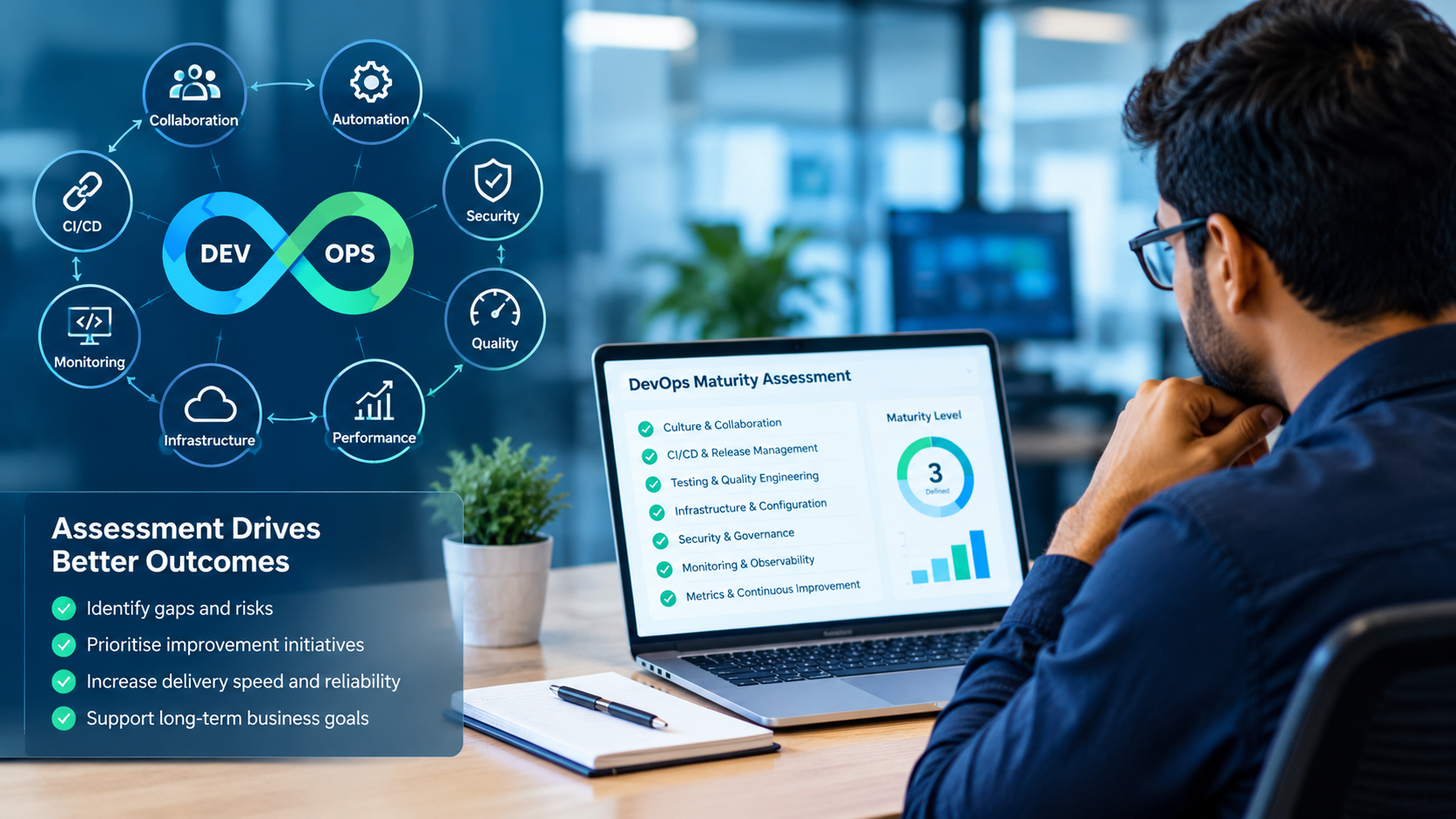
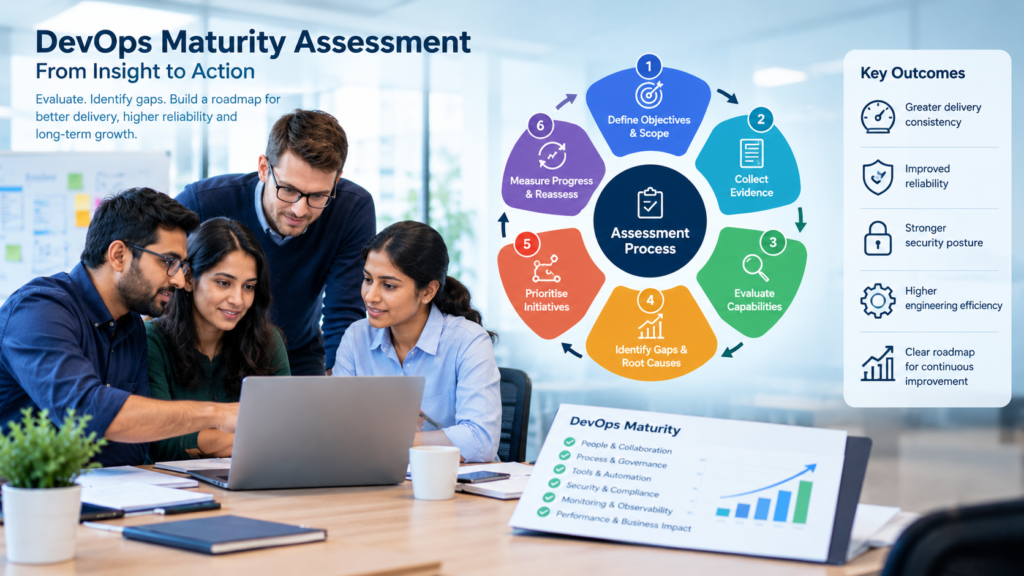
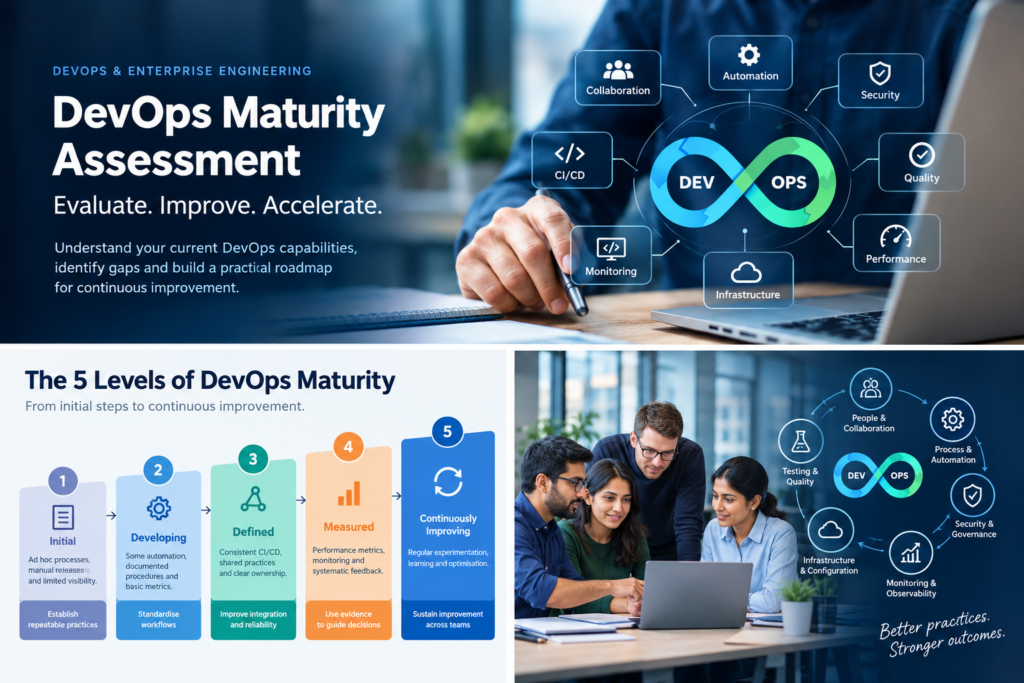
FAQ 13: What role does Sandhata’s DevOps & SRE Maturity Compass play in Playwright adoption?
Sandhata uses the DevOps & SRE Maturity Compass to evaluate an enterprise’s current testing practices across 30 to 40 technical criteria, identifying test automation gaps, flakiness issues, and environment bottlenecks before designing a tailored Playwright transformation strategy.
FAQ 14: How does Playwright support accessibility testing for web applications?
Playwright integrates with accessibility testing engines like Axe core. It scans web pages automatically during test execution to verify compliance with Web Content Accessibility Guidelines (WCAG), helping organizations deliver accessible digital experiences.
FAQ 15: How long does a Playwright test automation migration engagement take with Sandhata?
Initial diagnostic assessments take 2 to 4 weeks. Framework architecture design, pilot test suite migration, and continuous delivery pipeline integration deliver operational results within 8 to 12 weeks.
Strategic Recommendation and Next Steps
Relying on fragile legacy test scripts, slow sequential execution, and manual testing processes limits release velocity, increases operating costs, and creates high risk of software defects in production. To compete effectively in modern digital markets, enterprise leaders must upgrade their web testing strategy to a fast, reliable, and modern framework.
Playwright Test Automation Services provide a practical path toward modern software quality. By migrating legacy test scripts, leveraging automatic waiting, enabling parallel execution across all modern browsers, and integrating continuous testing into CI/CD pipelines, enterprises can release software rapidly with total confidence.
Sandhata Technologies brings over two decades of engineering excellence in enterprise quality engineering, DevOps integration, and software test automation across heavily regulated industries.
Contact Sandhata’s Playwright Test Automation Specialists today to schedule your DevOps & SRE Maturity Compass Assessment and modernize your web application testing platform.